Hampton Bay Ceiling Fan Replacement Parts
Hampton Bay ceiling fan replacement parts are made for one fan, and the part number tells you which. Find the part on the fan, read its number, then order it from Home Depot or Hampton Bay customer service.
Hampton Bay ceiling fan parts list
Pick a part to see where it sits on the fan and how you replace it.
Canopy and bracket
The canopy covers the wiring and the bracket that holds the fan to the ceiling box. On remote fans, the receiver sits inside it too. These parts are made for one fan, so order them by model number.
- Fits
- One fan model
- Get it from
- Hampton Bay
Downrod
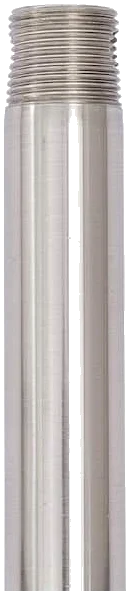
The pipe between canopy and motor sets how low the fan hangs. Replacement Hampton Bay downrods start with DR, and longer extension rods suit high ceilings.
- Part number starts
- DR
- Extension rods
- 12 to 36 in.
Motor housing
The motor carries a lifetime warranty for the original buyer, so a failed motor is a warranty claim, not a part to buy. The silver rating label with the model number is on top of the housing.
- Warranty
- Lifetime
- Claim needs
- Receipt copy
Blade arms
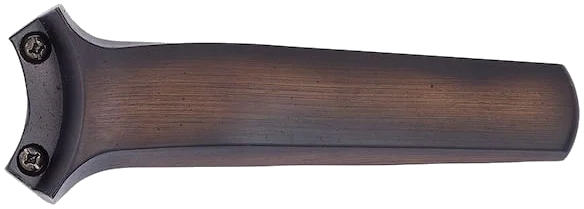
The arms, also called blade irons, join each blade to the motor. They are shaped for one fan, and the part number is MA plus that fan’s model number.
- Part number starts
- MA
- Example
- MA14921
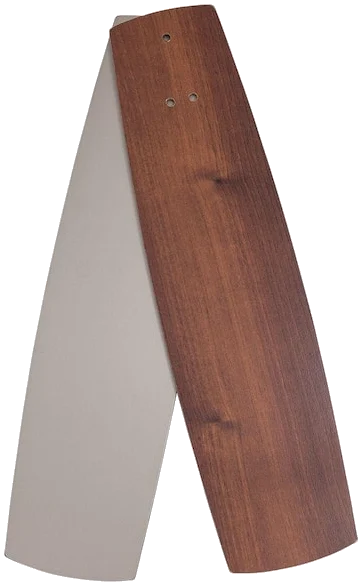
Blades
Replacement blade sets come as a full pack for the fan, named FB plus the fan’s model number. Replace the whole set so the fan stays balanced.
- Part number starts
- FB
- Packs
- 3 or 5 blades
Switch housing
Under the motor, it holds the pull chain switches for fan speed and light. On pull chain fans the speed capacitor is usually wired in here as well.
- Speed switch
- 3-speed
- Light switch
- Own chain
Light kit
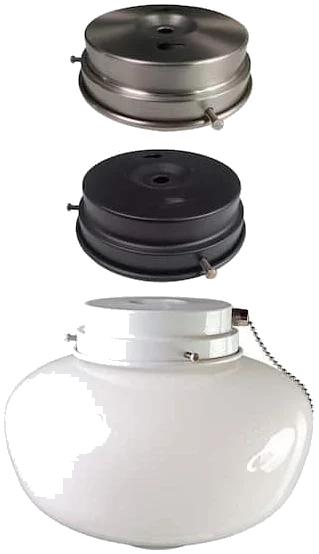
The fixture fixed under the switch housing. Hampton Bay universal kits fit most fans with a center hole in the housing cap; some kits are made for one fan.
- Universal kits
- Most fans
- Fan-specific kits
- By fan UPC
Glass and globes
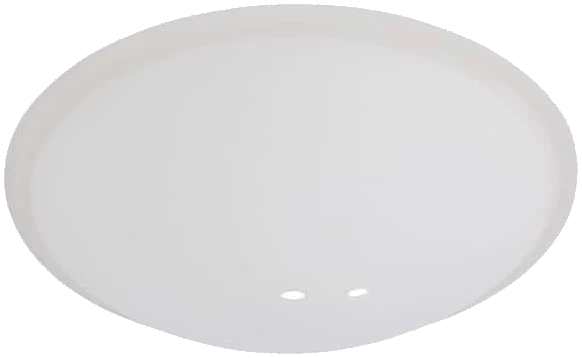
Bowls, shades and globes are sized for one light kit. Replacement glass is named G plus the fan’s model number, such as G14909 for the Andross 48 in.
- Part number starts
- G
- Search by
- Fan name
Your fan’s Use and Care Guide shows the parts for your exact model. Find it in Hampton Bay ceiling fan manuals.
Read a Hampton Bay part number
Most Hampton Bay fan parts carry the model number of the fan they fit, with a letter code in front.
G14909
Glass
Frosted glass bowl for fan 14909, the Andross 48 in.
FB14952
Fan blades
Five-blade set for fan 14952, the Havenville 52 in.
MA34162
Blade arm
Belcaro walnut arm for fan 34162, the Bay Island 52 in.
DR504-BN
Downrod
4-1/2 in. brushed nickel rod listed for eight fan models.
Each Home Depot part listing also names the compatible fan model number, and often the fan’s Internet number or UPC. Match it to the label on your fan before you order.
Hampton Bay replacement parts at Home Depot
Home Depot sells many Hampton Bay ceiling fan parts online, named after the fan they fit. A few examples, each linked to its live page.
Globe Light Kit 91381
Three fitter finishes
- Fits fan
- 42 to 52 in.
- Comes as
- 1-light kit
Search homedepot.com for your fan’s name plus the part, such as “Hampton Bay Andross glass”. Not listed? Customer service can order it.
Replacement lighting for your fan
Swap a broken kit for the same one, fit a universal kit, or bring an LED light back to life. Bulb sizes and every kit are in the light kit guide.
Universal light kits
Hampton Bay’s universal kits fit most fans with a center hole in the housing cap. The 1-light globe kit 91381 ships with white, brushed nickel and oil rubbed bronze fitters.
The Altura LED kit comes with three 9.5-watt LED bulbs and both bronze and nickel hardware.
Light kits and bulbsKits made for one fan
Some kits are built for a single fan and list that fan’s UPC. The Seaport 52 in. white light kit, part 513349014, is one of them.
It carries a 1-year parts warranty.
Find your model numberLED light replacement
Many newer Hampton Bay fans use integrated LED with no bulb to change. If that light goes out, check the wall switch and remote first, then call customer service with the model number.
Bulb kits list their bulb type in the Use and Care Guide.
Fan light not workingHampton Bay downrod and extension downrods
The short rod in the box suits a standard ceiling. Higher ceilings take a longer rod, sized like this in Home Depot’s listings.
12 in.
10 ft ceiling
18 in.
11 ft ceiling
24 in.
12 ft ceiling
36 in.
13 ft ceiling
Replacement downrod
Hampton Bay’s DR504 rod is 4-1/2 in. long in brushed nickel or oil rubbed bronze. DR504-BN lists eight fan models it fits, including the Havenville (14952).
Some fans use their own ball and downrod assembly, like the Seaport 52 in.
DR504-BN at Home DepotBefore you buy a longer rod
Match the finish and check the downrod size in your fan’s manual. Keep the blades at least 7 feet above the floor.
Extension rods at Home Depot are sold under other brand names.
Install a ceiling fanOrder Hampton Bay parts from customer service
For parts you can’t find online, call Hampton Bay. Have the model number ready.
Find the model number
On a ceiling fan it’s on the silver rating label on top of the motor housing. Part listings match by that number.
No label? Customer service can work from photos of the fan.
Model number helpCall for parts
1-855-HD-HAMPTON
Monday to Friday 8 a.m. to 7 p.m., Saturday 9 a.m. to 6 p.m. Eastern.
Customer serviceCheck the warranty first
Motors have a lifetime warranty for the original buyer. Other parts get one year, and newer manuals give the light kit three.
Keep a copy of the receipt for any claim.
Fan not workingHampton Bay fan parts questions
Where can I buy Hampton Bay ceiling fan replacement parts?
Home Depot sells many of them on homedepot.com, usually named after the fan, such as “Andross 48 in. replacement glass bowl”. For anything not listed, call Hampton Bay customer service at 1-855-HD-HAMPTON with your model number.
How do I know a part fits my fan?
Each part listing names the compatible fan model number, and often the fan’s Internet number or UPC. Match it to the silver label on top of your fan’s motor housing.
Does Hampton Bay sell replacement fan blades?
Yes, for many models. Blade sets come in packs of 3 or 5 and are named FB plus the fan’s model number. Glass and acrylic blades are left out of the one-year parts warranty.
Can I put a universal light kit on my Hampton Bay fan?
Usually, if the fan has a center hole in the housing cap. Hampton Bay’s 91381 kit, for example, lists most standard 42 to 52 in. fans. Check your manual for the light kit it was built to take.
How do I replace the glass on a Hampton Bay ceiling fan?
Turn the power off and let the light cool. Support the glass while you loosen the screws on the fitter or unscrew the globe, then fit the new one the same way. Order glass by the fan’s name or a part number starting with G.
What size downrod do I need?
Home Depot pairs a 12 in. rod with 10 ft ceilings, 18 in. with 11 ft, 24 in. with 12 ft and 36 in. with 13 ft. Keep the blades at least 7 feet above the floor.
Where is the capacitor in a Hampton Bay ceiling fan?
On pull chain fans it’s usually in the switch housing under the motor, wired to the speed switch. Capacitors vary by fan, so ask customer service for the right one using your model number.
Can I replace just a broken pull chain switch?
Yes. Home Depot sells 3-speed fan switches and light switches with pull chains under other brand names. Match the number of speeds and wires, and photograph the wiring before you disconnect it.
Are Hampton Bay fan parts covered by warranty?
The motor has a lifetime warranty for the original buyer, and other parts are covered for one year from purchase. Newer manuals, such as the Gazebo III and Glendale III, cover the light kit for three years, glass excluded. You need a copy of the receipt, and you pay labor and shipping.
Is there one parts list for a 52 inch Hampton Bay fan?
No. Parts go by model, not size, so two 52 in. fans can take different blades and glass. Use the model number from the label.
Where do I find Hampton Bay exhaust fan replacement parts?
Take the cover off the bath fan; the model sticker is inside the housing. Then call customer service, or see Hampton Bay replacement parts.